
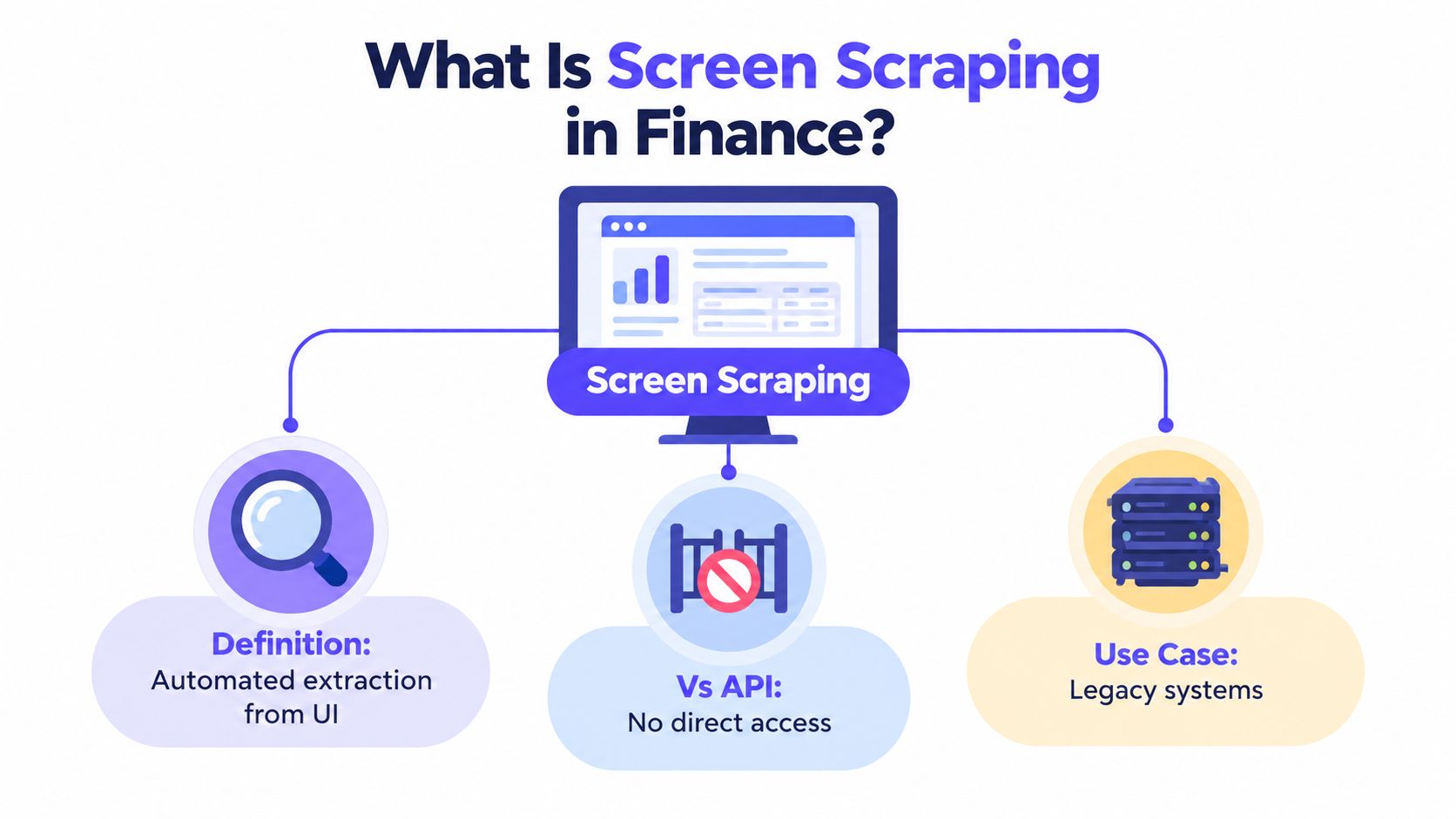
Screen scraping is the automated extraction of information displayed through a website or application interface, converting selected on-screen values into structured data. In finance, the method reads a human-facing interface when a formal API or structured export isn’t available.
A controller may face this during close: an aging billing portal holds the invoice status, a homegrown treasury tool shows balances, and a legacy ERP accepts entries only through screens. Manual re-keying creates delay and review work. A quick script appears to solve the problem, until a redesigned label sends the wrong value into a posting workflow.
The useful question isn’t only what is screen scrape. The useful question is whether the extraction can remain deterministic, auditable, and controlled after the interface changes.
Table of Contents
- What Is Screen Scraping in Finance
- Screen Scraping vs API Integration
- Why Screen Scraping Fails Without Governance
- The Legal and Compliance Risks
- How Loopfour Studio Replaces Brittle Scrapers
- When to Use Automation Instead of Scraper Scripts
What Is Screen Scraping in Finance
Screen scraping is automated extraction from a website or application interface. A scraper moves through the user interface, reads rendered HTML or visual elements, and converts selected on-screen values into structured records. Unlike an API integration, screen scraping interacts with the presentation layer that a person sees. It can operate against dashboards, documents, desktop applications, and legacy systems without a formal data feed, as described by Fortra’s explanation of screen scraping.
Consider a close process that requires a finance analyst to open a vendor portal, filter invoices, copy payment status, and paste the result into a reconciliation workbook. A screen scraper can perform those interface actions and capture the displayed fields. The output might then move into a predefined reconciliation step.
The distinction from ordinary database integration matters:
| Integration method | What the software reads | Typical control profile |
|---|---|---|
| API integration | A machine-oriented endpoint | Structured permissions and defined responses |
| Screen scraping | Rendered interface content | More dependency on layout, session state, and selectors |
| Manual entry | Values viewed and re-keyed by a person | Human review, but greater touch and transcription risk |
A finance engineer shouldn’t treat the browser as a database. The browser is an access path to a system that was designed for human interaction. That makes screen scraping useful for legacy system integration, but it also makes validation essential.
The strongest finance use cases share three characteristics:
- The system is authorized: The organization owns the account or has explicit permission to automate access.
- The data has a defined schema: Each extracted field has a type, expected format, and reconciliation rule.
- The workflow has a controlled outcome: The automation can stop before a posting, payment, or approval when values are incomplete or ambiguous.
Screen scraping solves the access problem. It doesn’t automatically solve the control problem. A copied value is only useful when the downstream workflow can prove where it came from, what rules were applied, and who approved an exception.
Screen Scraping vs API Integration
Screen scraping reads the rendered presentation layer. API integration consumes a machine-oriented interface. APIs generally provide a cleaner contract, while screen scraping remains relevant when a finance system lacks a usable endpoint or exposes only part of the required data.
An API may return an invoice object with defined fields. A scraper may need to open the invoice page, wait for JavaScript to render the balance, identify the relevant DOM element, and normalize the visible currency value. Dynamic applications often require browser rendering because JavaScript can construct content after the initial response, creating dependencies on authentication, session state, asynchronous loading, and stable selectors, according to technical guidance on scraping dynamic interfaces.
The practical trade-off
| Question | API integration | Screen scraping |
|---|---|---|
| Data boundary | Machine-oriented contract | Human-facing interface |
| Rendering | Usually unnecessary | May require a browser engine |
| Interface drift | Less dependent on visual layout | Sensitive to labels, selectors, and workflow changes |
| Compute profile | Often lightweight | Browser automation requires more operational resources |
| Authentication | Token or service-account model may be available | Often depends on an authenticated session |
| Best fit | Stable, authorized data access | Authorized legacy or closed systems without a reliable API |
Raw HTML scraping is lighter than full browser automation, but it can miss values rendered after page load. Browser automation captures more interface state, yet it costs more to run and maintain. That trade-off is often justified only when the required finance data cannot be reached through a governed feed or export.
Practical rule: An API should be the default path when it provides the required data, permissions, and audit context. Screen scraping should be the controlled fallback.
A finance team comparing options should document the actual gap rather than assume that “no API” means “no integration.” The system may offer a scheduled export, a report endpoint, a secure file exchange, or a partner connector. A useful overview of API types can help teams classify those alternatives before committing to browser automation.
The wrong implementation usually starts with a selector that works once. The right implementation defines explicit wait conditions, validates every extracted field, records the page state, and tests the workflow against interface changes. A successful browser action isn’t proof of a successful finance transaction. The extracted value must still pass schema checks, totals reconciliation, duplicate detection, and approval rules.
Why Screen Scraping Fails Without Governance
Screen scraping fails without governance because the workflow depends on mutable interface details. Page structure, labels, login flows, JavaScript rendering, multi-factor authentication, and anti-bot controls can change while the underlying business data remains correct. A redesign can therefore produce a syntactically successful but semantically wrong result, as explained by the comparison of API access and screen scraping.
A brittle script may still find an element after a redesign. It may find the wrong element. In finance, that distinction can affect an ERP posting, billing status, reconciliation, or management report.

Where failure enters the workflow
- Selector drift: A class name, label, or field position changes.
- Timing drift: A value loads later than the script expects.
- Session drift: Authentication expires or a required challenge interrupts access.
- Meaning drift: The visible label remains similar, but the workflow or business rule changes.
- Evidence drift: The script records a final value without preserving the page state that produced it.
Fonts and positioning are not business logic, yet brittle automation can depend on them. Teams maintaining browser workflows should also consider this guide to identity coherence when the automation client, session behavior, and access identity must remain consistent.
A controlled finance workflow responds differently:
| Failure signal | Uncontrolled script | Governed automation |
|---|---|---|
| Missing field | Continues with a blank or shifted value | Fails validation and routes an exception |
| Changed page | Produces uncertain output | Opens a change investigation |
| Duplicate submission | May create a second transaction | Uses duplicate checks or idempotency controls |
| Ambiguous amount | Posts the visible value | Requires review against a confidence threshold |
| Disputed write | Offers little context | Retains screenshots or DOM evidence |
The operational standard should be observable failure, not silent completion. A run log, schema validation, selector version, screenshot, and reconciliation result give the controller something concrete to review. That evidence is more useful than a green status icon.
The same principle applies to broader automation in finance. Automation can reduce manual touch, but finance leaders still need to know which step ran, which record changed, and what happened when the system behaved unexpectedly.
The following video offers additional context on the data gap that makes interface automation attractive, but also difficult to govern.
The Legal and Compliance Risks
Screen scraping isn’t automatically illegal, and it isn’t automatically acceptable. The legal analysis depends on the target, data, access method, permissions, and purpose. Automated collection can raise contract, copyright, Digital Millennium Copyright Act, or Computer Fraud and Abuse Act issues, while robots.txt communicates crawler instructions without creating a complete legal authorization framework, according to this overview of scraping legality.
Finance teams should separate technical feasibility from permission to access. A login that works doesn’t prove that the organization may automate the account. A public page isn’t a universal license to collect, retain, or redistribute everything displayed on it.
A permission-first review
Before implementation, the owner of the workflow should answer:
- Who owns the account and data? Confirm the relationship with the target system and data subjects.
- What do the terms permit? Review contractual restrictions, acceptable-use rules, and access conditions.
- Is an official alternative available? Prefer an API, export, or approved partner connection when it covers the required use case.
- What permissions does the session carry? Separate read-only access from access that can create or modify transactions.
- What data is retained? Minimize credentials, personal data, screenshots, and extracted records.
- What stops the run? Define behavior for CAPTCHAs, authentication barriers, explicit blocking signals, and unexpected screens.
Public-web collection and credential-based financial scraping carry different risks. A private session may expose login details, bank-account information, transaction records, or retirement information. The OAIC discussion of screen scraping policy and regulatory implications emphasizes concerns around consent, access scope, and ongoing access.
Rate limiting is also a control issue. Request concurrency and backoff reduce the chance of overloading a target and help prevent defensive systems from treating the automation as hostile. The workflow should honor server error signals, stop on explicit blocks, identify its automation client, and avoid aggressive retries, consistent with guidance on responsible scraping practices.
Financial data platforms often sit inside a broader ecosystem of permissions, reporting obligations, and operational controls. Resources on financial services data platforms can help teams frame the integration within that larger data environment.
Legal review shouldn’t be an afterthought attached to a working script. It belongs in the design record, alongside data classification, access ownership, retention, approval rights, and incident handling.
How Loopfour Studio Replaces Brittle Scrapers
Loopfour Studio replaces an ad hoc scraper with a governed external-system integration. The controlled approach uses browser automation only where an authorized system lacks a suitable API, then surrounds each interaction with permissions, validation, evidence, and exception handling.
The difference is operational. A DIY script usually knows how to click and copy. A finance-grade workflow must also know when not to click, what evidence to retain, and who must approve an uncertain result.
The controlled alternative
A governed implementation should include:
- Least-privilege credentials: The session receives only the permissions required for the defined workflow.
- Predefined steps: Navigation, extraction, validation, and writing follow a versioned workflow definition.
- Explicit waits: The browser waits for known conditions instead of relying on arbitrary timing.
- Schema validation: Amounts, dates, identifiers, and statuses must match expected formats.
- Evidence capture: The workflow preserves screenshots or DOM state for disputed writes and material actions.
- Duplicate protection: Idempotency keys or duplicate checks prevent repeated submissions.
- Human approval: Ambiguous fields and low-confidence interpretations stop for review.
- Immutable run logs: Each action, exception, approval, and system write remains traceable.
Screen scraping does the access work. Loopfour Studio does the control work instead. The browser session becomes one step in a deterministic workflow, not the entire architecture.
The workflow should also check robots.txt and applicable terms, identify the automation client, enforce concurrency and backoff, and stop at CAPTCHAs or explicit blocking signals. Those safeguards matter because rate limiting and controlled retries protect both the target system and the finance process.
What happens after a change
A useful change-management sequence is straightforward:
- A selector test detects that a page element or label changed.
- The workflow marks the run as failed or degraded.
- No downstream posting occurs.
- An owner receives the exception with the captured page state.
- The selector or workflow definition is updated under version control.
- A reconciliation run confirms that the corrected extraction matches the source.
This model turns interface drift into a visible maintenance event. It doesn’t pretend that browser automation is as stable as a well-designed API. It makes the remaining risk measurable, reviewable, and bounded.
When to Use Automation Instead of Scraper Scripts
Screen scraping should be used when an authorized system lacks a reliable API or export, the data need is defined, and the workflow can enforce validation and approval. A simple scraper script is suitable only for low-impact, controlled collection where interface drift cannot create material financial harm.
“Screen scraping” covers materially different practices. Public-web collection reads information exposed on webpages. Credential-based financial scraping logs into a private account and may carry read or write authority. The second case introduces risks involving credential custody, account takeover, transaction authority, and breach impact, as noted by Australia’s privacy regulator.
Use this decision test
| Question | Prefer a simple collection script | Prefer governed browser automation |
|---|---|---|
| Is the target public? | Public, non-sensitive information | Authenticated or restricted system |
| Can the output trigger an action? | No downstream write | Posting, payment, approval, or reconciliation |
| Is the data sensitive? | Low-sensitivity content | Financial, personal, contractual, or banking data |
| Does the target offer an API or export? | No practical integration path | API is incomplete, unavailable, or unusable |
| What happens after layout change? | Manual review catches errors | The workflow must fail safely and preserve evidence |
| Are credentials involved? | No credentials | Session access requires controlled permissions |
| Is the workflow recurring? | Occasional, low-impact task | Repeated finance operation with audit requirements |
The best candidate for automation usually has a clear input, a predefined transformation, a deterministic output, and an exception owner. Month-end reporting, invoice status collection, reconciliation preparation, and legacy-system updates can fit that model when the target system and data access are authorized.
The poor candidate is a workflow that relies on visual judgment, unclear ownership, or an irreversible write. A script that “usually gets the right field” isn’t a control. It is an unresolved dependency.
Anti-bot behavior should also be treated as a stop condition, not an obstacle to defeat. Teams evaluating verification controls can consult this MANDATE on anti bot verification, then define a policy for escalation, manual review, or an approved alternative interface.
The finance engineer’s rule
Use an API when it provides the required access and control boundary. Use an export when a scheduled file can satisfy the process. Use governed browser automation when the system is authorized, the interface is the only practical route, and every material action can be validated and evidenced.
Don’t use an unmanaged scraper to create a hidden posting engine. Your auditors want the workflow to hold up, and your operators need a safe answer when the screen changes.
Loopfour provides deterministic finance workflow automation for legacy systems, billing tools, ERP processes, and other interfaces without reliable APIs. Visit Loopfour to evaluate governed browser automation with predefined steps, evidence capture, approvals, and exception routing.