
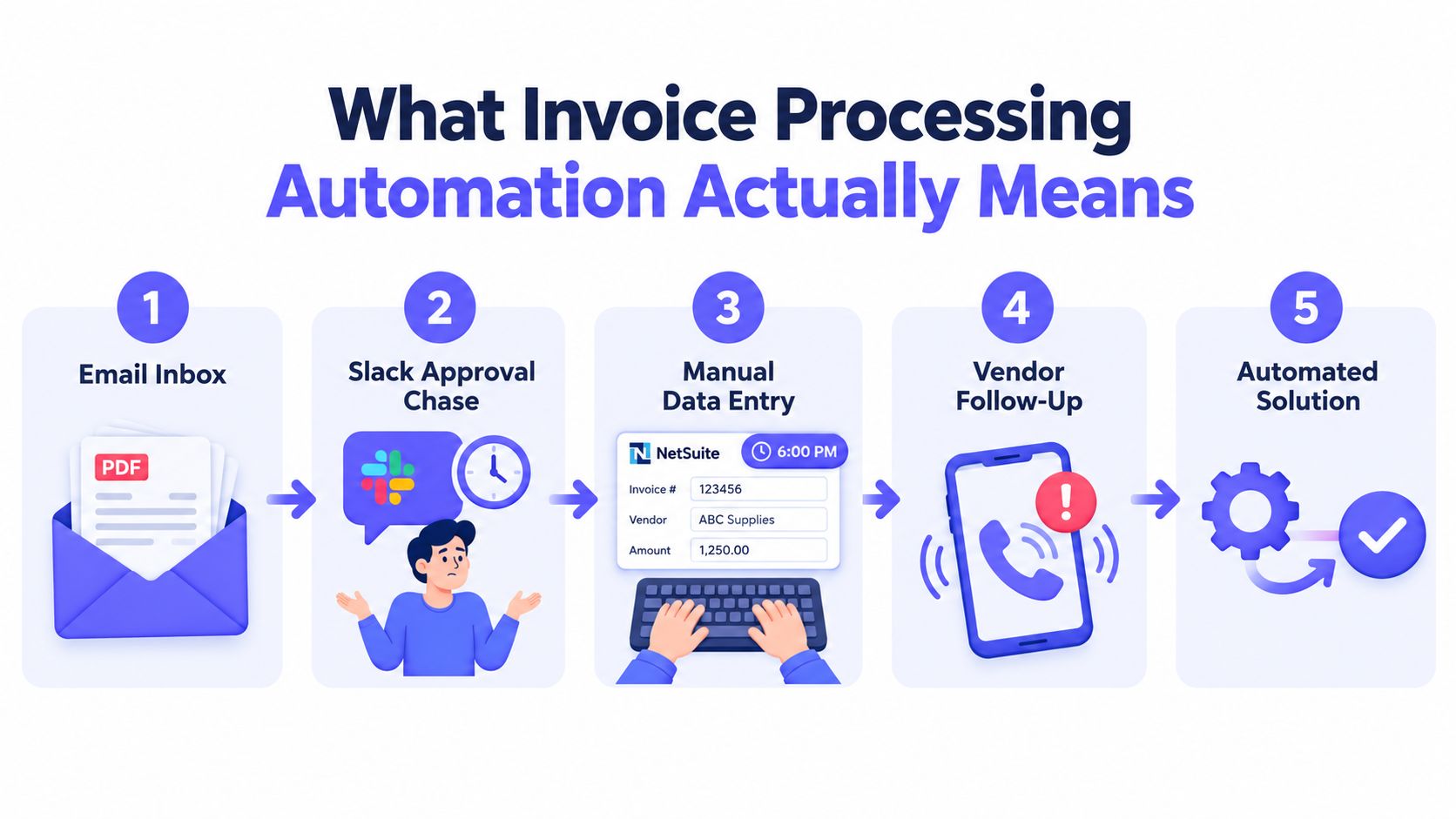
By 6 p.m., the AP queue usually tells the truth. Invoices are sitting in a shared inbox, someone is chasing approvals in Slack, a controller is rekeying totals into the ERP, and a vendor is asking why payment is late. Invoice processing automation fixes that only when it replaces manual handoffs with deterministic, auditable workflow execution. Speed matters, but controls matter first. Your auditors want it to hold up.
Author: Daniel Keene, Finance Systems Architect who has rebuilt AP and close workflows across mid-market finance stacks.
Table of Contents
- What Invoice Processing Automation Actually Means
- Capturing and Parsing Invoices Without Silent Errors
- Validating Invoices Against PO, Receipt, and Policy
- Approvals, Exception Routing, and Human Oversight
- Integrating With Your ERP and Contract Systems
- Governance, Audit Evidence, and Deterministic Execution
- Measuring ROI With the Four AP Benchmarks
What Invoice Processing Automation Actually Means
At 6 p.m., the difference between “we automated AP” and “we bought OCR” is easy to spot. One team has invoices moving through predefined checks, versioned approval rules, and a posting trail an auditor can follow. The other has extracted fields sitting in a queue, waiting for someone to decide whether the data is right.
Invoice processing automation is the controlled execution of invoice intake, validation, approval, and ERP posting through rules that are explicit, reviewable, and repeatable. The speed benefit is real, but the operational value comes from reducing judgment calls, enforcing policy consistently, and preserving evidence for every exception and approval.
AP teams have clearly moved past the pilot stage. 73% of AP departments now use some form of automation for invoice processing, up from 56% in 2022 and 64% in 2023. The same report also shows uneven maturity, with many teams still relying on partial automation rather than end-to-end control (IFOL AP Automation Trends 2025).
That gap matters because invoice automation is often framed as a throughput project. In practice, it is a controls project with throughput upside. If a system extracts an invoice total but cannot show which rule approved it, which match failed, who overrode the exception, and which document version was used, the risky work is still happening off-system.
The five parts that actually matter
A workable invoice automation stack has five layers:
- Capture and parsing. Invoices arrive through email, scans, EDI, and supplier portals. The system has to ingest each source, standardize the document, and create structured records without hiding low-confidence reads.
- Validation. The invoice is checked against the PO, receipt, vendor master, tax treatment, and spend policy before it can move forward.
- Approvals and exception routing. Straight-through invoices follow rule-based approval paths. Exceptions go to the right reviewer with the failed checks attached.
- ERP and contract integration. Approved invoices post once, to the correct entity, account, and period, with references that support downstream reconciliation.
- Governance and evidence. Every action needs a timestamp, actor, rule version, and supporting document trail.
One practical test helps separate real automation from dressed-up data entry. Pick a posted invoice and ask for the full decision record. If the team cannot show the source file, extracted fields, match result, approval path, exception handling, and final posting reference without reconstructing it by hand, the process is faster than before, but it is not well controlled.
Teams reviewing adjacent workflow changes often look at other ways to automate operations and cut costs. In AP, the standard should stay higher. Automation counts when the process executes the same way under the same conditions, and when exceptions leave enough evidence to stand up in an audit.
Capturing and Parsing Invoices Without Silent Errors
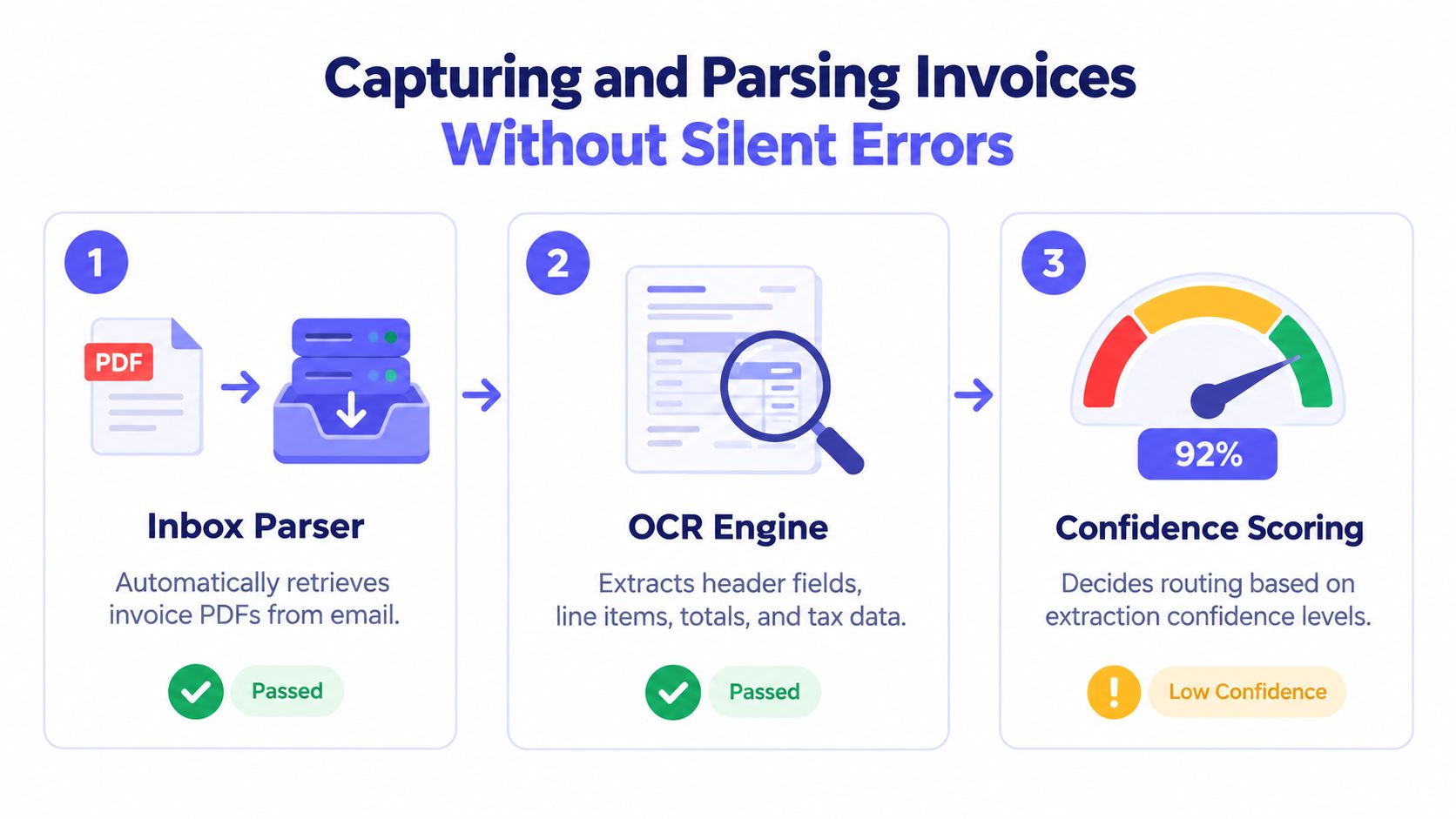
Invoice capture is where invoice processing automation fails most often, and fails most perniciously. The parser grabs a PDF, the OCR layer extracts fields, and a bad value slips through because nobody designed a real exception threshold.
The input side is messy by default. Vendors send PDFs, scanned images, XML from supplier portals, and EDI 810 documents. Some send one invoice per email. Some send a bundle. Some rotate templates without warning. The capture layer has to normalize that chaos before validation even starts.
What a reliable capture pipeline includes
A sturdy pipeline usually has these pieces:
- Intake controls. Email inboxes, upload portals, and EDI feeds should all land in one monitored intake layer.
- Deduplication logic. Duplicate attachments, resend chains, and revised invoices need a deterministic check before extraction.
- Normalization. File types and layouts need conversion into a standard document object before field extraction runs.
- Structured extraction. Header fields, line items, tax, subtotal, total, due date, and vendor identity need their own parse records.
Teams refining this layer can borrow from AP workflow patterns like those in accounts payable automation best practices, especially around intake standardization and exception ownership.
Where OCR breaks in practice
The failure modes are rarely dramatic. They are boring, which makes them dangerous.
- Low-resolution scans below usable quality produce false characters in invoice numbers and totals.
- Header drift appears when a supplier changes layout and the extractor still maps the old position.
- Split attachments can separate page one from supporting pages, which breaks line-item context.
- Rounding noise can flip tax or total values by a cent and create downstream mismatches.
A parser that looks accurate in demos can still fail on staples of real AP life: utility invoices, freight invoices, and multi-page vendor statements.
A simple operating rule helps. Fields under 0.90 confidence should land in an exception queue with the source snippet attached. Fields above that threshold can move to validation. The point isn’t mathematical purity. The point is to stop silent errors from becoming posted liabilities.
What auditors will ask for later
Auditors won’t care that OCR was involved. They will care whether the team can produce the invoice image, the extracted fields, the confidence score, and the routing outcome. If the capture layer doesn’t log each parsed field deterministically, the control narrative collapses months later when someone asks why the invoice number changed between intake and posting.
Validating Invoices Against PO, Receipt, and Policy
Validation is the control backbone of invoice processing automation. Validation decides whether an invoice posts, holds, or escalates. A fast parser without validation discipline just moves bad data faster.
Most AP teams need four checks every time. The invoice should match the PO and goods receipt, the vendor should match the vendor master, the amount should fit configured tolerances, and the spend should satisfy internal policy. Free-text review doesn’t scale. Structured checks do.
The checks that hold up
The durable validation stack usually includes:
- Three-way match against PO, receipt, and invoice.
- Vendor master validation for remit-to details, tax identity, sanctions screening workflow, and bank-change review status.
- Line tolerance checks for price and quantity variances.
- Policy checks for cost center validity, spend caps, required fields, and duplicate-invoice patterns.
For PO-backed invoices, a common audit-friendly stance is within 2% on price and exact on quantity. Teams can choose tighter or looser tolerances, but the important part is that the tolerance is predefined, approved, and versioned.
Validation Rules vs. AI-Assisted Matching Decision Matrix
| Condition | Recommended Approach | Audit Posture |
|---|---|---|
| PO exists, receipt exists, line references are clean | Deterministic matching | Strong. Decision is explicit and reproducible |
| PO exists, receipt is delayed or partial | Hold or route for structured exception review | Strong if reason code is required |
| Receiving is informal, quantities are estimated | AI-assisted matching with human review before post | Acceptable only with attached evidence |
| Vendor identity is uncertain or remit details changed | Manual hold | Strongest posture. Prevents bad downstream write |
| Duplicate signal is present but not conclusive | Exception queue with reason code | Better than free-text override |
Best-in-class benchmarked AP teams are cited at about $2.78 per invoice, 3.1 days cycle time, 49.2% touchless processing, and a 9% exception rate, while average teams are around $10.89 per invoice and 10.9 days cycle time (Nexus AP benchmark summary). Those numbers matter because they show the outcome of disciplined validation, not just capture speed.
What weak validation looks like
Weak validation usually shows up in three ways:
- Overuse of AI matching where deterministic data already exists.
- Free-text overrides instead of structured reason codes.
- Approval before evidence because the approver is expected to sort it out manually.
That model doesn’t survive scrutiny. Validation should write a structured evidence record that the approval layer can cite directly.
Approvals, Exception Routing, and Human Oversight
At 4:47 PM on quarter close day, an approver taps “approve” from a phone while waiting to board a flight. The invoice is valid, the spend is expected, and payment should move. If the system cannot show which policy rule routed that invoice, what evidence the approver saw, and why no conflict existed, the process is fast but weak.
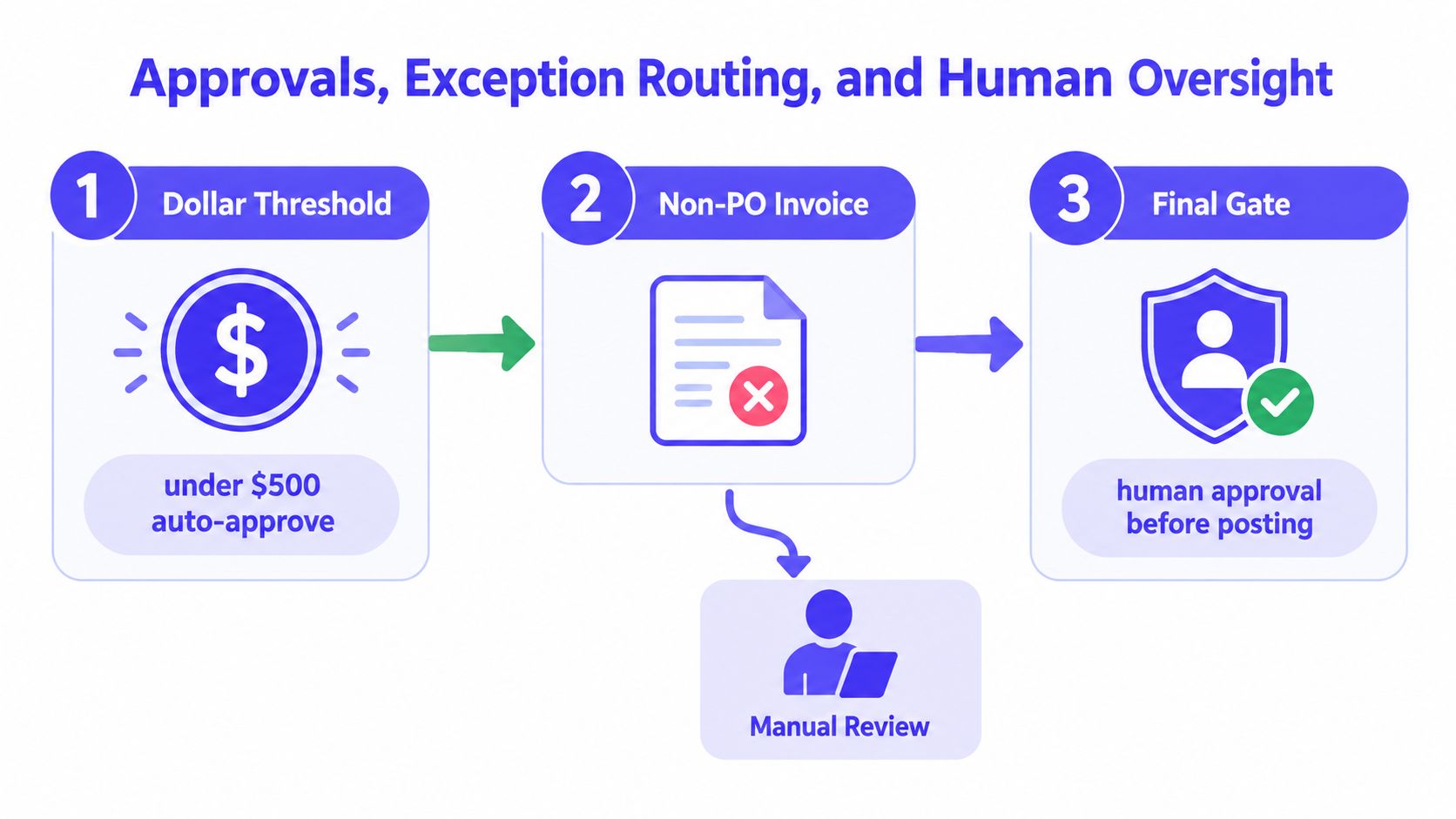
Good approval design starts with control objectives. Speed matters after that. Non-PO invoices need fixed thresholds. Higher-risk spend needs tiered approvers. Requesters should not approve their own invoices. Multi-entity teams usually need routing that checks entity, department, cost center, and spend type at the same time.
The key is deterministic execution. An approval path should come from versioned rules, not tribal knowledge or a manager’s memory. During an audit, “the workflow usually sends these to finance” is useless. A rule record with an effective date, threshold logic, approver assignment, and override history holds up.
Approval logic that stays defensible
A workable approval layer usually includes:
- Threshold-based routing for non-PO invoices, contract exceptions, and unusual spend categories.
- Segregation of duties enforced in the workflow so the same user cannot request, approve, and release the payment.
- Channel parity so Slack, Microsoft Teams, email, and browser approvals all write to one decision record.
- Escalation rules with timers, named fallbacks, and reassignment history when an invoice sits too long.
- Versioned policy rules so teams can show which approval logic was active on the day a decision was made.
As noted earlier, AP research still shows a lot of manual work in the approval layer, even after capture and matching improve. The problem is not only effort. It is inconsistency. Teams often automate the easy invoices, then leave the hard ones to inbox threads, pings, and undocumented judgment calls.
A short product walkthrough helps make the routing model concrete:
Exception routing needs evidence
Exception queues are where AP controls either stay intact or fall apart. A price variance, missing receipt, tax mismatch, or remit change should create a case with a named owner, a due date, and attached evidence. It should not depend on a chat thread that disappears once the invoice is paid.
The evidence package matters more than the queue name. Store the failed rule, the source fields, the related PO or contract reference, the approver who cleared the exception, and the reason code they selected. Free-text notes can help, but they should supplement structured fields, not replace them. That structure is what lets a controller review 200 exception clears and tell which ones followed policy.
Mobile approval needs the same discipline. Device, timestamp, approver identity, step outcome, and decision reason belong in the same immutable record as the invoice. Remote approval is common. Defensible remote approval requires proof.
For teams thinking through oversight of AI decisions, AP is a good test case. Human review only counts when the system records what the reviewer saw, what options were available, what they chose, and what evidence justified the choice.
Approvers forget. Systems remember. Build the record so someone can reconstruct the decision six months later without interviewing anyone.
Integrating With Your ERP and Contract Systems
Invoice processing automation only creates value when it posts cleanly into the system of record. A polished approval flow that creates duplicate writes in the ERP isn’t automation. It’s a new source of reconciliation work.
The ERP should remain the source of truth for vendor master data, chart of accounts, entity structure, and posting status. The workflow layer should read, validate, route, and write back in a controlled way. It shouldn’t invent parallel masters.
ERP and Contract System Integration Methods
| System | Integration Method | Data Synced | Common Failure Mode |
|---|---|---|---|
| NetSuite | SuiteTalk REST or governed connector | Vendor master, PO data, invoice posting status, GL references | Duplicate writes from retry logic |
| Workday Financials | Financials web services | Suppliers, receipts, worktags, posting references | Mapping drift across entities |
| Sage Intacct | Standard API | Vendor records, dimensions, bill objects, approval status | Hard-coded dimension mapping |
| QuickBooks Online | Intuit platform endpoints | Vendors, bills, account coding, payment status | Limited custom approval context |
| SAP or Oracle | Enterprise integration layer | Master data, PO/GR, posting documents | Over-complex middleware handoffs |
| Ironclad | Contract metadata sync | Obligation dates, rate terms, contract references | Stale metadata after amendment |
| DocuSign CLM | Executed term retrieval | Approved terms, dates, pricing references | Missing linkage between contract and invoice |
A practical implementation usually keeps vendor master sync one-way from ERP to workflow, while posting results and exception status flow back the other direction. Chart-of-accounts mapping should live in versioned configuration. Hard-coded rules become archaeology fast.
The duplicate-write problem is real
Two systems trying to post the same invoice will eventually do exactly that. The fix is not heroics in month-end close. The fix is idempotency keys, reconciliation reports, and a daily sync check that compares workflow state against ERP state before close pressure starts.
Contract hooks matter more than many AP teams expect. Service invoices often depend on obligation dates, contracted rates, caps, or renewal terms. Teams trying to streamline contracts with FaxZen are usually solving an upstream version of the same issue. If contract metadata is isolated from AP, invoice matching turns into manual interpretation.
For NetSuite-heavy teams, integration patterns like those in NetSuite integration guidance help avoid the common mistake of treating posting as a one-time API call rather than a stateful, reconciled workflow.
Governance, Audit Evidence, and Deterministic Execution
At quarter close, the failure usually does not start with a missing invoice. It starts when AP, audit, or a controller asks a simple question. Why did this invoice pass, who approved it, and which rule set was in force that day. If the system cannot answer that from a single record, the workflow is faster than the old process, but it is not better controlled.
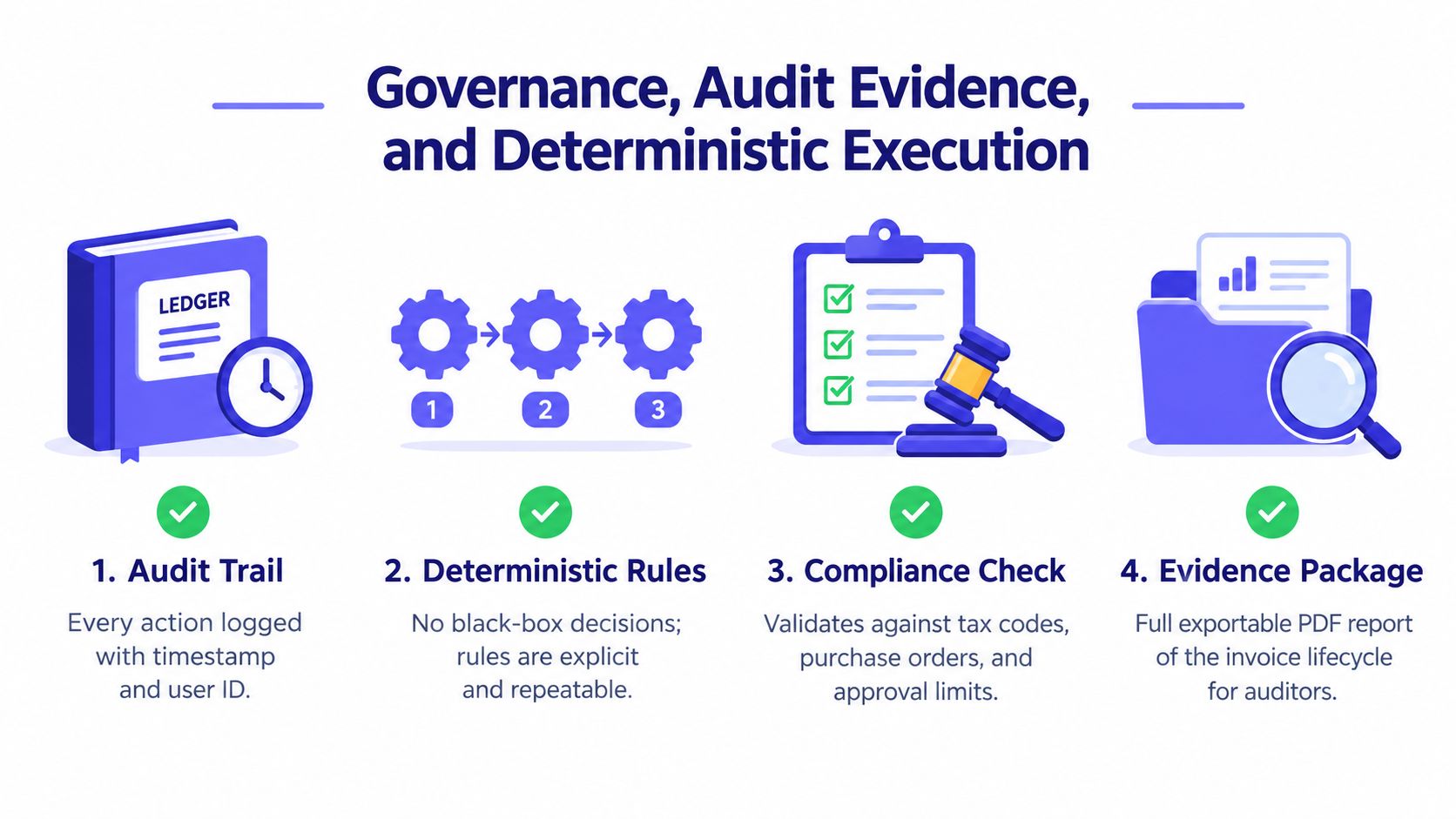
Governance is the point of invoice processing automation. Speed helps. Control is what survives an audit. A reliable AP workflow produces the same routing, validation, posting, and exception outcome every time the same inputs show up. That takes versioned rules, change history, explicit approval gates, and immutable run evidence. OCR and AI can assist with extraction and interpretation. They should not be the control model.
What an auditor actually asks for
In a walkthrough, the requests are usually specific and repetitive:
- Invoice image as received.
- Parsed fields and confidence outputs from intake.
- Validation results against PO, receipt, and policy checks.
- Approval chain with timestamps, identities, and decision reasons.
- ERP posting reference tied to the same record.
- Immutable linkage between every step above.
Teams often store the PDF and the final ERP document number, then assume the trail is complete. It is not. Auditors usually care less about whether the file exists than whether the approval, exception, and posting logic can be reconstructed without interviews and inbox searches.
I have seen this break in two places. First, someone updates a threshold or routing rule without version control, so the team cannot prove which logic applied to a disputed invoice. Second, an approver resolves an exception in email or chat, and that decision never makes it back into the system of record. Both create avoidable audit pain.
Deterministic execution closes the audit gap
Most AP guides treat automation as a throughput problem. In practice, it is a controls problem with a throughput benefit.
Exception volume stays high in real environments, even after capture and matching improve. As noted earlier, straight-through processing is still the minority case in many AP teams, and adoption of automation keeps rising. That is exactly why deterministic execution matters. If exceptions are part of the operating model, each one needs evidence, not just a status flag.
A controlled workflow should answer four questions for every invoice without manual reconstruction:
- What data came in
- What rules ran
- What decisions were made
- What changed in the ERP
That is the standard. Anything less turns month-end close into evidence assembly.
What good governance produces per invoice
A defensible workflow should be able to export an evidence package with:
- Versioned rule set that governed the run.
- User and system actions with timestamps.
- Exception records with reason codes and attachments.
- Approval decisions with identity and channel context.
- Posting outcome with ERP document reference.
- Retention-ready archive for finance and audit use.
Loopfour is one example of this model. It runs predefined finance workflows with versioned definitions, evidence capture, and exception routing across existing systems. That matters in audited environments because the workflow itself becomes part of the control story. Teams reviewing broader finance automation controls and operating patterns usually reach the same conclusion. Labor savings matter, but inspectable execution is what holds up when someone tests the process six months later.
Measuring ROI With the Four AP Benchmarks
A finance team can cut invoice handling time and still fail the ROI test if exceptions pile up, approvers work them in email, and no one can explain why an invoice cleared. Measure AP automation like a controls project with throughput benefits, not a speed project with controls bolted on later.
Four benchmarks usually separate real improvement from work redistribution:
- Cost per invoice. Fully loaded AP processing cost divided by invoice volume.
- Cycle time. Time from invoice receipt to approved posting.
- Touchless processing rate. Share of invoices that post without human intervention.
- Exception rate. Share of invoices that stop for review, correction, or override.
These metrics belong together. A rising touchless rate looks good until exception aging gets worse. A shorter cycle time is not a win if the team is forcing invoices through with manual overrides that create audit exposure later.
The benchmark ranges worth knowing
Benchmarking is useful as a reference point, not a target you copy blindly. One benchmark summary puts manual invoice handling at about 9.2 to 14.6 days per invoice, while best-in-class automated teams get down to about 3.1 days. The same source places manual or laggard cost per invoice at roughly $12.88 to $19.83, versus about $2.78 for best-in-class AP teams (invoice processing benchmarks).
A separate benchmark report shows what mature execution looks like at the process level. Average touchless capture is reported at 77.0% and average touchless processing at 68.9%, while best-in-class performance reaches 96.3% touchless processing and cuts total cycle time to 1.4 days (Medius AP benchmarks).
Broader industry summaries point in the same direction on unit economics. Manual invoice handling is commonly estimated at roughly $12 to $30 per invoice, while automated AP is generally about $2 to $5 per invoice (manual vs automated AP cost ranges).
Worked Example: 9,000 Invoices per Month, Pre- vs Post-Automation
A 9,000-invoice monthly operation does not need heroic assumptions to justify automation. It needs a clean baseline and honest exception data.
| Metric | Before Automation | After Automation | Delta |
|---|---|---|---|
| Monthly invoice volume | 9,000 | 9,000 | No change |
| Cost per invoice | Manual baseline measured from labor, rework, and support time | Lower if routing, matching, and posting are actually automated | Cost reduction only counts if labor and rework fall |
| Cycle time | Often stretched by inbox queues, approval lag, and posting backlog | Shorter if approvals and exceptions are routed predictably | Faster approval and posting |
| Touchless rate | Usually low in email-driven or fragmented AP flows | Higher if validation rules are stable and supplier formats are controlled | More invoices clear without intervention |
| Exception rate | Often undercounted because work happens in email, chat, or side spreadsheets | Visible in a queue with reason codes and ownership | Better control and cleaner root-cause analysis |
Build the ROI model from your own baseline first. Use actual queue volumes, actual labor time, actual rework, and actual approval delays. I would also separate “touchless capture” from “touchless posting” because OCR can extract fields correctly and still leave AP with unresolved policy or matching problems. That distinction prevents inflated savings claims.
What to watch in the first 90 days
Early ROI shows up in process stability before it shows up in the budget line.
Track these leading indicators closely:
- OCR confidence drift by supplier and document type.
- Exception aging by owner and reason code.
- Approver response time by route and entity.
- Posting reconciliation mismatches between workflow and ERP.
Then watch the lagging indicators that matter to finance leadership and audit:
- Duplicate payment leakage.
- Month-end close friction caused by stuck invoices.
- Vendor disputes tied to bad invoice state or missing approvals.
- Audit findings tied to AP controls.
The common failure mode is easy to spot. Cycle time improves on paper because AP staff clear blockers manually, outside the workflow, and the exception queue stays deceptively low. That is not automation ROI. It is undocumented labor.
A good ROI result is boring. Rules stay versioned, exceptions stay visible, and quarter-end does not depend on memory or cleanup work.
Loopfour converts recurring AP work into deterministic, auditable workflows that run on the systems finance teams already use. For invoice processing automation, that means controlled intake, predefined validation, structured approvals, and evidence that stands up in an audit. To see how that looks in practice, visit Loopfour.