
The most popular advice in accounts payable automation says to rank vendors by OCR accuracy and license price. That advice is backwards. A sound accounts payable automation software comparison ranks platforms by exception economics and by whether every automated action can be replayed for auditors, because capture is only the first step between invoice receipt and payment.
By Zuny Fester, Head of Operations and Marketing. Zuny Fester tests finance automation claims against benchmarks, control requirements, and invoice-level evidence.
Table of Contents
- Accounts Payable Automation Software Side by Side
- What an Invoice Really Costs Across AP Platforms
- Exception Rates and Cycle Times to Benchmark Against
- Audit Evidence Your Auditors Will Ask For
- ERP Connectors and Browser Automation Compared
- Where Loopfour Fits Against Typical Alternatives
- Common Questions About AP Automation Software
- Run a Ten-Invoice Test Before You Sign
Accounts Payable Automation Software Side by Side
Accounts payable automation software falls into four categories, and the categories differ most on auditability, connector reach, and evidence capture. Accounts payable automation software moves supplier invoices from receipt to ERP posting and payment, with matching, routing, and logging along the way.
An invoice counts as touchless only when it moves from receipt through extraction, validation, PO matching, coding, approval, and ERP posting with no human intervention. Benchmark data cited by Deloitte places average performers near one-third touchless, while best-in-class operations approach roughly 49.2%. Ardent Partners data, as reported by Medius, reports a 38.3% touchless-processing rate for purchase-order invoices at the average organization and 96.3% at best-in-class organizations.
AP Automation Categories Compared on Seven Criteria
| Criterion | Invoice Capture Tools | ERP-Native AP Modules | AI Agent Platforms | Loopfour |
|---|---|---|---|---|
| Auditability | Capture and approval logs | Ledger-level audit trail | Replay often limited | Versioned workflows with execution trees per run |
| ERP and CRM Connectors | One or two ERPs typical | Native to the host ERP only | Built per system during implementation | Native connectors for Workday, NetSuite, Sage Intacct, QuickBooks, Salesforce, HubSpot and more |
| Browser Automation | Rarely offered | Rarely offered | Often offered through agent browsing | Secure controlled browser sessions for systems without APIs |
| Governance Controls | Approval routing | Role-based permissions | Policy prompts and human review | Permissions, impact analysis, approval gates and change history |
| Evidence Capture | Document image and approval trail | Posting records | Run summaries, often hard to reconstruct | Full evidence for every action, approval, exception and system write |
| SOC and SOX Readiness | Check vendor report | Check vendor report | Check vendor report | SOC 1 evidence capture; SOC 2 Type II and HIPAA in place |
| Exception Routing | Manual review queue | Built-in task queue | Routed by model confidence score | Routed to owners through Slack, Microsoft Teams or email |
Loopfour, the deterministic finance workflow automation platform, runs workflows as versioned code on the ERP, CRM, and billing tools your team already uses. The grid shows typical category patterns. Verify every cell in a demo with your own invoices.
Start with the rows your auditors and your systems inventory will test first. Those rows decide the shortlist faster than any feature list.
What an Invoice Really Costs Across AP Platforms
A low license price can still produce the highest cost per invoice. Ardent Partners’ 2025 benchmark, as reported by WEX, puts the average cost of processing one invoice at $9.40, while best-in-class organizations reduce the figure to $2.78. The gap is $6.62 per invoice, or approximately 70.4%.
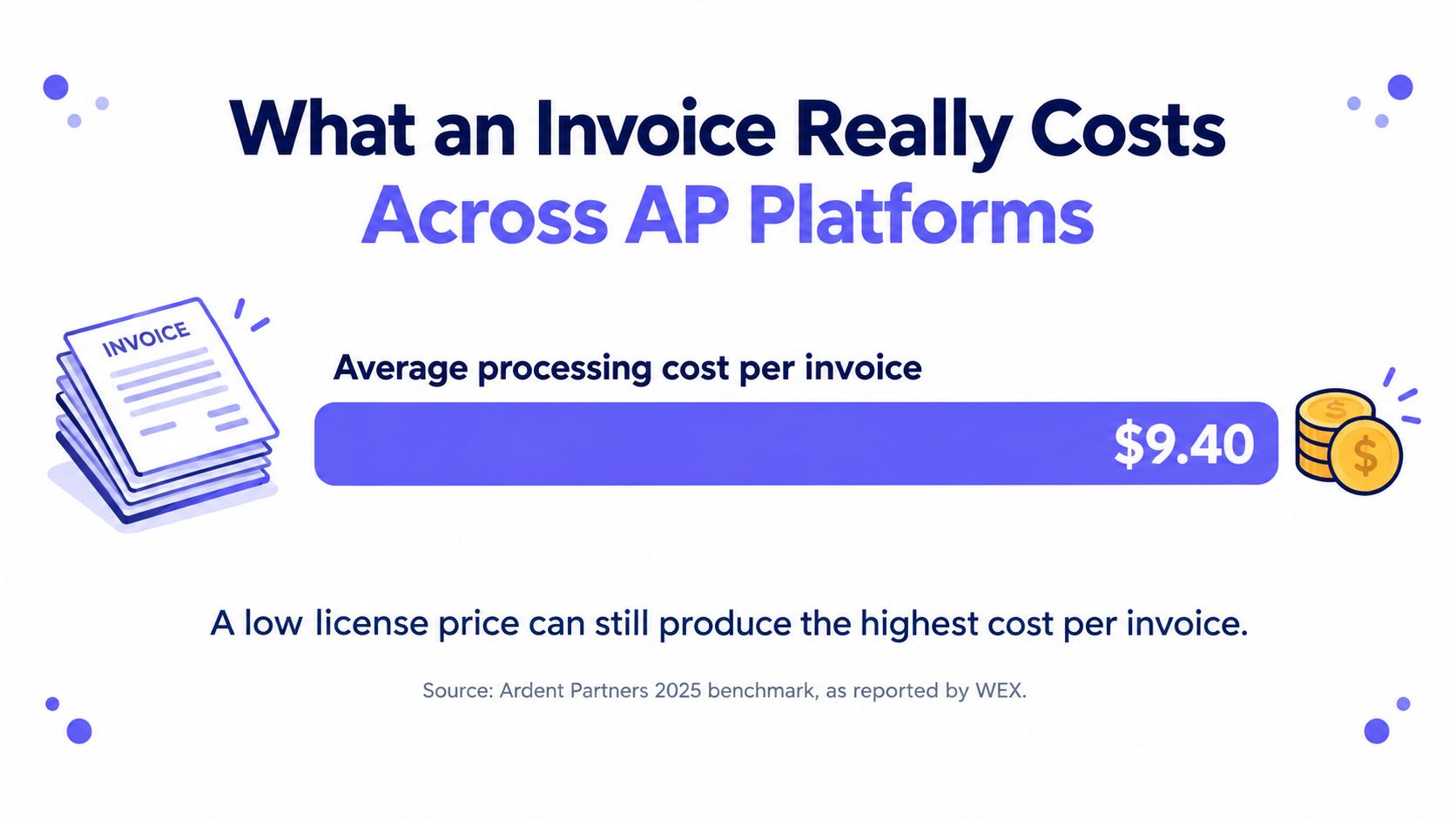
For a company processing 10,000 invoices annually, that benchmark gap implies roughly $66,200 in potential annual processing-cost difference. That estimate excludes payment discounts, late-payment penalties, fraud exposure, and working-capital effects. It’s a benchmark estimate, not a vendor quote, and this comparison publishes no vendor list prices.
Why License Price Misleads
A capture tool extracts fields and stops. Your team still resolves mismatches, chases receipts, and re-keys data between ERP, procurement, and payment systems. Duplicate data entry adds the labor cost back after the license savings. Capture tools leave exception labor on your team. Loopfour runs the predefined workflow across systems instead, so exception routing and ERP writes stay inside one governed run.
The same logic drives the broader accounts payable automation benefits case, where savings come from removing touches across the full cycle, not from cheaper scanning. Ask every vendor how the quoted per-invoice figure is calculated. Ask whether implementation, support, exceptions, and non-PO invoices are included.
Cost Components to Request in Every AP Vendor Quote
| Cost Component | What It Includes | Question to Ask the Vendor |
|---|---|---|
| Subscription or license | Platform fee by volume, user or entity | Is the price per invoice, per user or per entity? |
| Implementation and integration | Setup of ERP, CRM and document connectors | How many systems need custom work, and who owns them? |
| Exception handling labor | Staff time on mismatches, missing receipts and approvals | What share of invoices needs a person, by type? |
| Duplicate data entry | Re-keying between ERP, procurement and payment systems | Which systems still require manual re-entry? |
| Support and maintenance | Fixes when upstream systems or rules change | Who updates workflows, and at what cost per change? |
| Payment and fraud exposure | Late fees, missed discounts, duplicate payments | How are duplicate and overpayment checks run? |
A vendor that won’t break out these six components is asking your team to discover the actual price after signature. Price the labor your team keeps, not just the software you’re buying.
Exception Rates and Cycle Times to Benchmark Against
Exception rate and cycle time separate a capture tool from a workflow platform. Benchmark reporting from Kefron indicates an average AP exception rate of about 18.4% and an average invoice cycle time of 8.2 days, even among organizations already using invoice-capture and approval software. Higher-performing operations reduce exceptions to approximately 9% and cycle time to roughly 3.1 days.
Don’t blend benchmarks. Ardent Partners’ 2025 figures report a different average exception rate and cycle time from a different sample. Name the publisher beside every number in your evaluation pack, and compare vendors against one benchmark set at a time.
Benchmark Metrics to Demand in a Vendor Test
| Metric | Average Organization | Higher-Performing Operation | How to Measure It |
|---|---|---|---|
| AP exception rate | About 18.4% | About 9% | Share of invoices needing manual intervention |
| Invoice cycle time | About 8.2 days | About 3.1 days | Receipt to approved payment, averaged over the test period |
| Exception resolution time | Record in test, no benchmark target set | Set target from your slowest exception type | Median and 95th percentile per exception type |
| Duplicate or overpayment catches | Record in test, no benchmark target set | Set target from your prior loss history | Blocked duplicates per 1,000 invoices tested |
A survey of mid-market finance leaders reported by CFO.com found that only 4% reported fully automated AP with no manual touchpoints, while 89% used only partial automation. The same survey found 48% said their tools produced little or no cost savings. Partial automation that leaves exceptions manual explains that result.
What the Test Scope Must Cover
Demand rates by invoice type and entity, not one blended percentage. Your test scope needs PO and non-PO invoices, price and quantity variances, duplicate candidates, missing receipts, tax discrepancies, supplier-master changes, and multi-entity approvals.
- PO invoices: Test two-way and three-way matching against receipts.
- Non-PO invoices: Test coding, policy checks, and approval routing.
- Known exceptions: Test duplicates, tax gaps, and missing receipts.
Record median and 95th-percentile resolution time, because averages hide the slow tail that delays close. Published accounts payable automation case study evidence is useful only when the case reports its invoice mix the same way. A vendor that can’t report exceptions by category can’t prove the benchmark.
Audit Evidence Your Auditors Will Ask For
Audit evidence is the complete, ordered record of what each automated run did, and who or what did it. Your auditors want it to hold up under control testing, not just look complete on a dashboard. If a reviewer can’t rebuild one payment from the log alone, the trail is incomplete.
The image below frames the auditor’s starting point, the source document and the trail that supports it.

The IRS Floor for Electronic Records
IRS audit guidance on machine-sensible records says records must reconcile with the taxpayer’s books and tax return, contain enough transaction-level detail to identify the underlying source documents, and be available in a processable form. IRS examiners also document actions involving electronic records to establish chain of custody.
IRS Publication 583 states that an electronic storage system must index, store, preserve, retrieve, and reproduce business records in a legible format. Supporting documents explicitly include paid bills, invoices, receipts, deposit slips, and canceled checks. Searchable retrieval is a compliance requirement, not a convenience feature.
Retention has teeth too. IRS electronic-records guidance requires electronic records to be protected from unauthorized access, use, alteration, and deletion until the authorized disposition date, including records held in the cloud. IRS automated-records guidance requires machine-readable records material to federal tax administration to be retained until the applicable assessment period expires, including extensions, and made available in a processable form.
Deterministic Replay Versus Probabilistic Output
Loopfour’s design position is that probabilistic AI outputs are hard to replay because the same input may not reproduce the same reasoning. AI agent platforms generate a plausible next step. Loopfour executes a predefined, versioned workflow instead, logs each action to an execution tree, and captures evidence for every approval, exception, and system write.
The short walkthrough below shows what a step-by-step execution record looks like in practice.
Verify three things in every demo. Trace one payment back to its source PDF and approval record. Pull the change log for one edited rule and confirm who approved the edit. Attempt a deletion with a non-admin account and confirm the record stays protected.
Practical rule: Export the run log during the demo, not after contract signature. If the export needs a professional services ticket, your auditors will wait too.
ERP Connectors and Browser Automation Compared
The integration route decides how much of your AP process stays inspectable. The IFOL Accounts Payable Automation Trends 2025 survey found that 66% of surveyed firms still manually enter invoice data into their ERP, and firms reported using an average of eight applications for core operations. Adding another AP application can add another permission model and another reconciliation point.
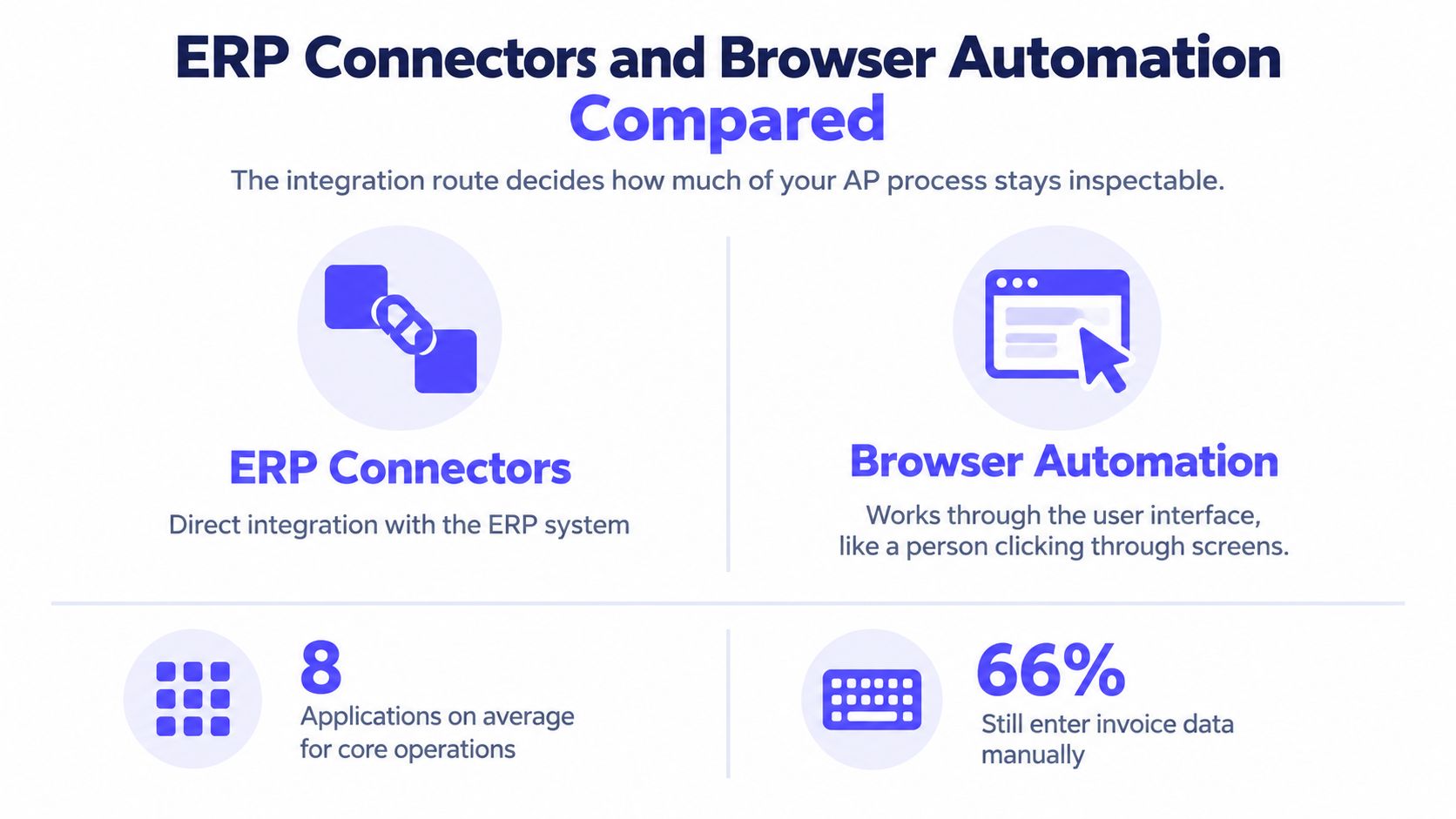
AP Integration Routes Compared by Fit and Control Risk
| Integration Route | Works Best When | Main Risk | Control to Require |
|---|---|---|---|
| Native API connector | Your ERP and AP tool both expose current APIs | Connector drift after an ERP upgrade | Versioned connector and advance change notice |
| ERP-native AP module | You run one ERP and need few outside systems | Weak reach into approvals outside that ERP | Documented role matrix and posting logs |
| Secure browser automation | Legacy or homegrown systems have no API | Breaks when a screen changes | Controlled sessions, logged steps and a named maintenance owner |
| Manual upload or copy-paste | Volume is very low and temporary | Keying errors and no reliable trail | Documented fallback with a sunset date |
Loopfour provides native connectors for Workday, NetSuite, Sage Intacct, QuickBooks, Salesforce, HubSpot, Stripe, Box, and DocuSign, among others. For systems without APIs, Loopfour uses secure browser automation in controlled sessions, with logs and permissions preserved. That pattern matters for legacy system integration in finance stacks, where the oldest system usually holds the payment record.
Governance follows the same logic across both routes. Require permissions, impact analysis before a change, approval gates, and full change history. Teams evaluating adjacent tooling, such as accounting automation for professional services firms from Wistec, face the same question of who maintains each connection when a screen or field changes.
Adoption context is mixed. Vic.ai’s 2025 AI Momentum Report found 72% of organizations used some form of AI in AP or finance. Usage doesn’t answer the control question. List the systems in your stack that have no API, then name who maintains the workflow when that screen changes.
Where Loopfour Fits Against Typical Alternatives
Choose an AP platform by two questions. How many systems does your AP run touch, and how much replay must your team prove to an auditor? Each typical alternative wins on one of those questions and loses on the other.
Buyer Situations and Trade-Offs
An invoice capture tool suits modest volume with simple PO matching and one accounting system. It’s the fastest start. The trade-off is that exceptions, approvals, and downstream writes stay manual, so cost per invoice stays with your team.
An ERP-native AP module suits a single-ERP operation with few outside approvals. Posting stays close to the ledger, and permissions inherit from the ERP. The trade-off is reach. Approvals in Slack, documents in Box, and billing data in Stripe sit outside that module, and your team bridges the gaps by hand.
An AI agent platform suits exploratory work where outputs don’t need replay, such as drafting supplier replies or summarizing spend. The trade-off is evidence. Treat any claim about agent replay as a typical pattern to verify in a demo, and ask the vendor to reproduce one run step by step.
Loopfour suits multi-system AP where audit and control evidence are required. Capture tools digitize the invoice. Loopfour runs the full invoice-to-payment workflow instead, across ERP, CRM, billing, and document systems, on the stack your team already has. There’s no rip-and-replace of the ERP.
The Honest Trade-Off
Loopfour needs an implementation project before it runs. A capture tool can process its first invoices sooner. That gap is real, and low-volume teams should weigh it heavily.
What the implementation buys is durability. Version history removes the key-person risk of ad-hoc scripts and prompt chains that one analyst maintains. Finance engineers maintain workflows when upstream systems or rules change, through approval gates rather than silent edits.
- One ERP, low volume: A capture tool or ERP-native module is usually enough.
- Several systems, audit review: A deterministic workflow platform fits the control burden.
- Exploratory analysis: An AI agent platform fits, outside the payment path.
Read across the situation that matches your stack, then check the trade-off before shortlisting. The cheapest start and the cheapest third year are rarely the same product. That’s not a sales line. It’s arithmetic your controller will do anyway.
Common Questions About AP Automation Software
Common questions about AP automation software turn on measurement, audit, and system reach. Each answer below stands alone, with its entities named.
How Is Touchless Processing Measured for AP Automation Software
Touchless processing for AP automation software is the share of invoices that move from receipt to ERP posting with no human touch. Vendors should report the rate by invoice type, entity, ERP, and exception category. One blended figure hides weak non-PO performance behind clean PO invoices.
Does AP Automation Software Need SOX Certification
No software is SOX certified. Software supports your controls, and your organization owns SOX compliance. Loopfour supports SOC 1 evidence capture, and its SOC 2 Type II and HIPAA scope should be confirmed against the current attestation report before signature.
Is AI Safe for AP Audits
AI is safe for AP audits when AI only interprets documents, runs under confidence thresholds with human fallback, and every action is logged. Loopfour scopes AI to interpretation tasks such as document parsing. Predefined workflow steps make the posting and payment decisions.
Can AP Automation Reach Systems Without APIs
Yes. AP automation reaches systems without APIs through secure browser automation in controlled sessions. Loopfour keeps logs and permissions intact during those sessions, so a legacy portal step carries the same evidence as an API write.
What Do IRS Records Rules Require From AP Software
IRS records rules require AP software to retain electronic records until the assessment period expires, protect records from unauthorized alteration and deletion, and export records in a processable form. Invoice images alone don’t meet that bar. Transaction-level detail and source-document links must survive export.
Run a Ten-Invoice Test Before You Sign
A ten-invoice test exposes exception economics and audit evidence before signature. Run the same ten invoices through every shortlisted platform, in a demo or sandbox, and score each platform on identical criteria.
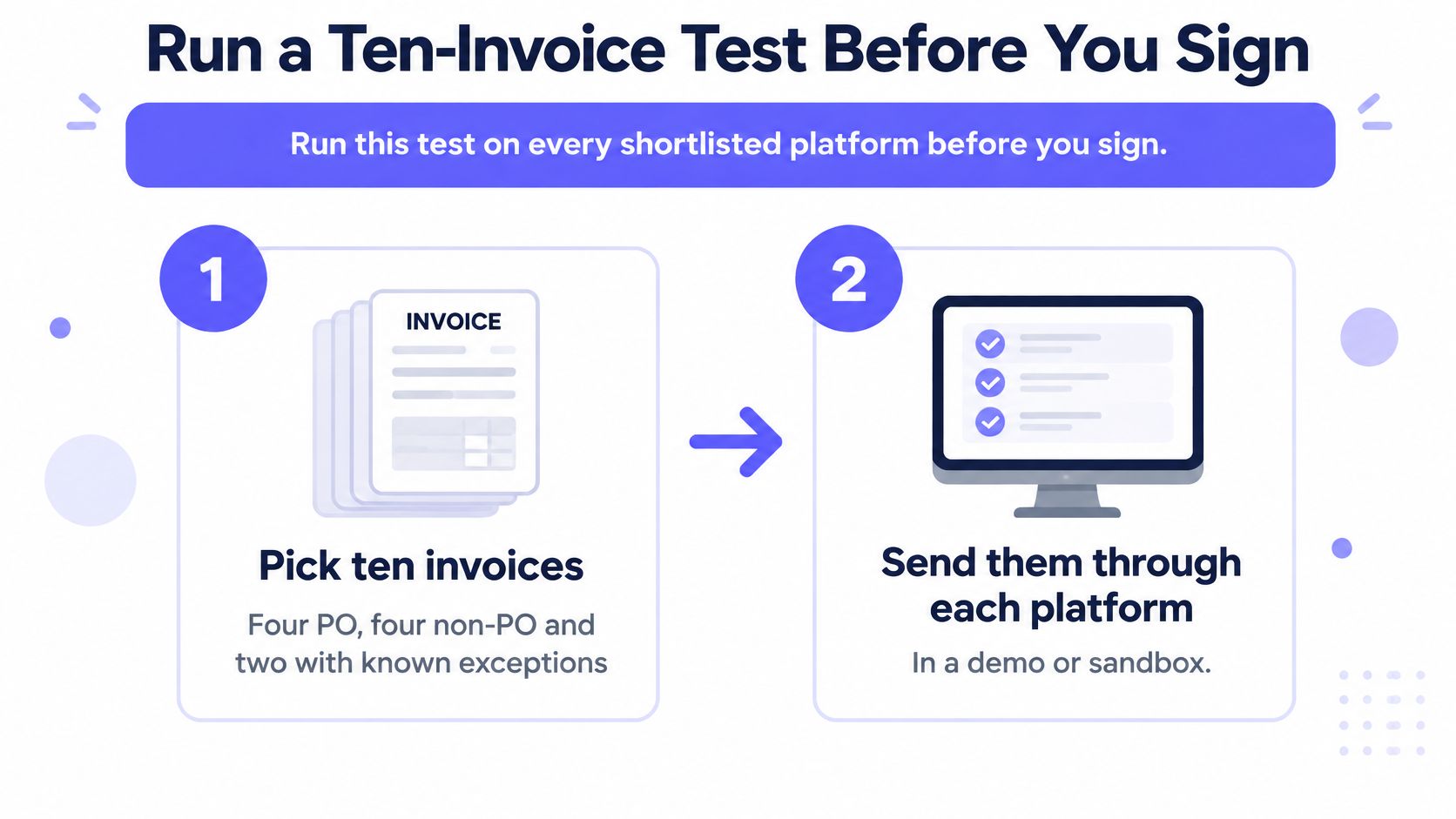
The Nine Steps
- Pick ten invoices: Four PO, four non-PO, and two with known exceptions.
- Send them through each platform: Use a demo or sandbox environment.
- Record the outcome per invoice: Note touchless status, exception type, and minutes to resolve.
- Trace one payment: Follow the ERP entry back to its source PDF and approval record.
- Export the run log: Check that exported totals reconcile to ledger totals.
- Trigger one rule change: Confirm change history and impact analysis capture the edit.
- Attempt a deletion: Use a non-admin account and confirm the record is protected.
- Score each platform: Use the seven category criteria and the benchmark targets.
- Apply the cutoff: Shortlist only platforms that meet the exception-rate target and pass the trace test.
How to Read the Results
Watch step three closely. A platform that posts eight invoices cleanly but burns forty minutes on two exceptions may cost more per invoice than a slower, steadier rival. Minutes per exception, multiplied by your exception rate, is the labor line in your business case.
Steps four through seven test evidence, not features. A vendor can claim an audit trail in a slide deck. Only the export proves whether your auditors can rebuild a payment without vendor help.
If a platform fails the trace test, stop scoring it. A fast workflow that can’t prove itself transfers the cost to audit season.
Apply the verdict to your situation. If your AP runs across several systems and faces audit review, shortlist Loopfour for a scoped implementation with predefined workflows and full execution evidence. If your volume is low and AP lives in one ERP, a capture tool or ERP-native module may be enough, and the test results will show it.
Bring your ten hardest invoices, including the two that always break, and put Loopfour through the trace test on your own ERP, CRM, and billing stack. Loopfour will scope a deterministic, auditable AP workflow with governed exception routing and evidence for every system write. Visit Loopfour to book the test and see the execution tree before committing to a rollout.