
The opportunity is Closed Won in Salesforce. Sage Intacct still has no sales order, no invoice, and no payment status to send back. Your close calendar does not care that the connector “succeeded” last month. A silent retry that posts the same document twice will not hold up for your auditors.
A Sage Intacct Salesforce integration hands commercial records from Salesforce to Sage Intacct and writes invoice and payment status back. Salesforce runs the customer conversation. Intacct keeps the ledger. The work that fails is almost never the field map. It is a write with no owner, no period lock, and no safe replay.
Zuny Fester, Head of Operations and Marketing, wrote this for controllers who have already lived through a brittle sync.
Table of Contents
- Sage Intacct Salesforce Integration Options and List Prices
- Set Ownership Then Connect Salesforce to Sage Intacct
- Own Exceptions and Replay Without Duplicates
- Prove Multi-Entity Writes to Your Auditors
- Decide If a Connector Is Enough
Sage Intacct Salesforce Integration Options and List Prices
A Sage Intacct Salesforce integration is a sales-to-billing handoff, not a second ledger. Salesforce keeps the customer conversation. Sage Intacct keeps customers as accounting records, plus invoices, payments, and the books.
Sage’s own documentation marks the earlier Intacct CRM Integration as end of life. Advanced CRM Integration replaces it for record synchronization, contract billing, contract modifications, and renewals. Sage maintains that integration for Salesforce Classic and Lightning, and for Salesforce Enterprise, Salesforce CPQ, and Salesforce Nonprofit Success Pack.
Packaged connectors cover that standard path. They do not decide who owns a failed invoice. List price is only the budget baseline.
Published list prices
| Option | Annual starting price | Setup fee | What the listing covers |
|---|---|---|---|
| Sage Advanced CRM Connector | $14,000 per year | Setup fee beyond the Intacct subscription | AppExchange package for standard sales-to-billing workflows |
| IntegratorPlus Basic | $9,450 per year | $4,600 one-time | Sage Intacct Marketplace listing, LBMC, 2026 |
| IntegratorPlus Advanced | $12,900 per year | $6,670 one-time | Sage Intacct Marketplace listing, LBMC, 2026 |
| CRM Consulting connector | $900 per instance per month ($10,800 a year) | No setup fee is published with the monthly price | Salesforce integration listing for Sage Intacct |
A published market listing puts the Sage Intacct Advanced CRM Connector at a starting price of $14,000 per year on the Salesforce AppExchange, plus a setup fee beyond the Sage Intacct subscription. Accounting Seed’s write-up of that listing describes an API-based package for Sage Intacct Financials, with configurable Salesforce workflows for accounts, contacts, contracts, renewals, billing, products, price books, and projects. Customizations outside those standard workflows add cost. Custom objects and unusual two-way sync sit outside the package.
LBMC’s IntegratorPlus listing on the Sage Intacct Marketplace prices the Basic edition at $9,450 per year with a $4,600 one-time setup, and the Advanced edition at $12,900 per year with a $6,670 one-time setup. A separate 2026 CRM Consulting listing starts at $900 per instance per month, which is $10,800 a year before services.
Practical rule: Buy the package for the objects it already syncs. Do not buy it as a substitute for exception ownership.
Compare those licenses with the cost of a point-to-point build the same way you compare any other integration platform. A short guide to API integration platforms is a useful budget check before anyone quotes a custom middleware project. The cheaper row can still be the wrong row if your close depends on a multi-entity split, a closed-period hold, or a replay your auditors can reconstruct.
Price does not name an owner. A $14,000 connector and a $9,450 connector both leave the same question open. When the item is missing, who stops the invoice, and who is allowed to send it again?
Set Ownership Then Connect Salesforce to Sage Intacct
A closed-won opportunity is the right test record. It has a commercial source, a legal entity, an item, a price, terms, and an expected accounting document. Before any integration moves that record, name the owner of each object. Salesforce owns opportunities, accounts, products, and commercial terms. Sage Intacct owns customers, sales orders, invoices, payments, credit memos, and ledger dimensions. A sync that lets both systems invent the same customer will duplicate the receivable.
Sage’s Advanced CRM Integration documentation describes the integration scope for Salesforce and Sage Intacct. Treat the design as an event-driven, idempotent pipeline, not one API call per record. Put the ownership split in place before credentials, queues, or batch size. The map should define what may write, what may read, and what must stop the run.
System of record
| Object | Authoritative system | What the other system may hold | Write to block |
|---|---|---|---|
| Opportunity, quote, and commercial terms | Salesforce | Intacct contract or sales order created from those terms | Intacct overwriting price or term |
| Account and contact | Salesforce for commercial identity | Intacct customer record | A second customer from a merged account |
| Product and price book | Salesforce CPQ or price book | Intacct item | Invoice create when the item is missing |
| Invoice, payment, and credit memo | Sage Intacct | Salesforce status fields only | Creating the accounting document in Salesforce |
| Entity, currency, tax, and dimensions | Sage Intacct | Salesforce display lookups | Post when a required dimension is blank |
| Accounting period | Sage Intacct period lock | None | Retry into a closed period |
Store a persistent cross-reference for every pair. Keep the Salesforce ID, the Intacct record key, the entity or company ID, the mapping version, the last-sync timestamp, and the sync status. Version the map. The same input and the same version must always produce the same document. That version belongs in the run log, because a replay against the wrong map can create a different document from the same closed-won deal.
Use that cross-reference to make the test record boring. The opportunity matches one Intacct customer, resolves one price-book item, and posts one sales document in that legal entity. Payment status returns as a status field. It does not recreate the invoice. A missing item, a blank dimension, or a merged account updates the cross-reference and holds the posting. One source deal, one accounting document, one auditable path back to the opportunity.
Ownership is an application-management decision, not a mapping tab. Grail Computer Labs on software ownership is a useful frame for who may change a production integration after go-live. Finance should be able to see that change. IT should not be the only group that can explain it. Put the approval path next to the field map, including who can publish a new version and who can pause writes before close.
Connect in nine steps
Sage’s developer portal states that REST API access requires a web services developer license. A path that bypasses the pre-built connector still needs that license and an authentication design that follows Sage’s API requirements. The Advanced CRM path has its own API prerequisites.
- Confirm the web services developer license before anyone writes a custom call.
- Enable the Salesforce REST, SOAP, and Bulk APIs. Sage’s Advanced CRM documentation requires those APIs. Salesforce Professional Edition may need API access turned on separately.
- Authenticate Intacct Web Services at company level. Store credentials outside the workflow.
- Trigger on closed-won, on contract signed, or on a scheduled delta. Do not tight-poll.
- Queue high volume. Commit writes in bounded batches.
- Put an idempotency key on every invoice and every sales order. A retry must not mint a second document.
- Use exponential backoff for a transient failure. Dead-letter the record after a second validation failure.
- Cap concurrency per Intacct company. Reserve month-end API capacity for close-critical jobs.
- Replay one payload until exactly one target document exists. Then inject a partial failure and prove the run can resume.
Reconcile source counts, monetary totals, tax, currency, and status by entity and accounting period. Call the run done only when those totals match. A queue that empties is only a queue that empties. The close needs proof that each Salesforce deal produced the intended Intacct document once, in the right entity, with the right period and dimensions.
Expect platform limits to shape the design. Sessions time out. Company-level concurrency is limited. Salesforce governor limits still apply to queries, rows, callouts, and daily API use. Bulkify the work. A chatty, one-request-per-record design is how a busy Friday becomes a gateway timeout and a cleanup job.
A Salesforce-to-ERP billing flow needs the same boundary from the other direction. Loopfour pulls contract terms from Salesforce, CPQ, and the billing system, generates the revenue schedule, and posts it to Sage Intacct as one connected flow. That works only when ownership is explicit. Commercial terms stay traceable to Salesforce. The schedule and the posted result stay traceable to Intacct. Status can move back to Salesforce without giving Salesforce a second pen to the ledger.
If your team is still choosing how Salesforce should sit next to finance systems, start with a clear Salesforce integration boundary. Commercial identity stays in Salesforce. The accounting document stays in Intacct. Status flows back. Nothing else gets a write.
Own Exceptions and Replay Without Duplicates
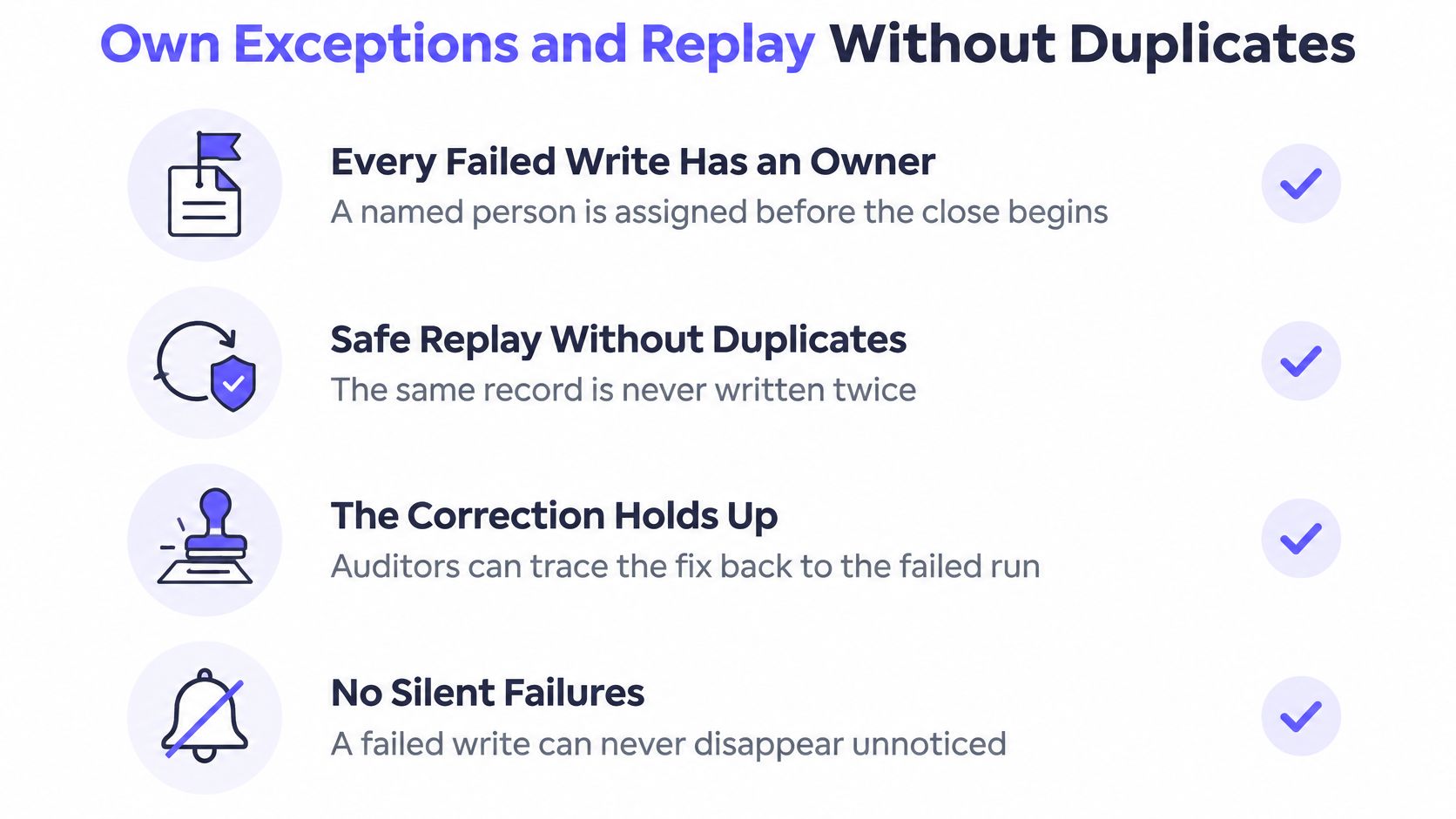
A connected pair of systems is not a reliable close until every failed write has an owner and a safe replay. Your auditors want the correction to hold up. A silent retry will not.
Real-time sync that retries every failure is how you mint duplicate invoices.
Who clears the record
| Failure | Safe action | Owner |
|---|---|---|
| Opportunity has no Intacct item | Hold the run until the item exists | RevOps |
| Invoice targets a closed period | Do not post into the closed period | Controller |
| Required dimension is blank | Block the post | Entity accountant |
| Both systems changed the customer | Salesforce keeps commercial fields and Intacct keeps financial fields | Finance operations |
| Same payload arrives again | Idempotency key rejects the second write | Integration owner reviews the dead-letter queue |
These are ordinary close problems, not rare defects. A Salesforce opportunity with no Intacct item waits for RevOps. An invoice aimed at a closed period waits for the controller, and it does not post backward. A missing dimension waits for the entity accountant. When both systems edit the same customer, Salesforce keeps commercial fields and Intacct keeps financial fields. Finance operations merges the cross-reference. A repeated payload hits the idempotency key and lands in the dead-letter queue.
The Global Autonomous Finance Benchmark 2025 found that data quality and reliability were the leading obstacle to finance analytics for 56% of respondents, while integration issues affected 46%. That is the environment your exception queue has to survive. A technically green connector can still leave the close unreliable when reference data is inconsistent.
Operating rules for the queue
Name the owner before close starts. Route each exception to a person in Slack, Microsoft Teams, or email. A shared inbox is not an owner.
Age open exceptions in hours. A failure that sits until Monday is a failure your close will rediscover at the worst moment.
Replay only after the fix, and only once. The idempotency key is what makes that sentence true. Automatic retry without a period check, an approval, and that key increases risk.
Reconcile before you sign the run off. Match source counts, money, tax, currency, and status by entity and period. If the totals disagree, the run is not done.
No general industry success rate belongs on this design. Publish your own baseline as reconciliation accuracy, duplicate-write rate, exception aging, and the share of transactions that finish without a human. Those four numbers tell a controller whether the handoff is safe. A green “last sync” timestamp does not.
The same discipline applies when the target is any ledger, not only Intacct. A practical ERP integration keeps the accounting document in the ERP and treats CRM status as a reflection, not a second set of books.
Prove Multi-Entity Writes to Your Auditors
Connectivity does not create control. Your team can prove a Sage Intacct Salesforce integration only when each run records why an entity, account, currency, tax treatment, and approval was chosen.

The opportunity that spans two entities
One Salesforce opportunity covers two legal entities. The deal currency is not the books currency. Someone amends the opportunity after booking. A fresh guess at close is not a control.
The workflow must split or reject that opportunity by a predefined rule. The rule names the entity, the currency, the tax treatment, and what an amendment may change after the document is posted. If the rule cannot decide, the run stops. It does not pick the larger entity because that is what happened last quarter.
Intercompany eliminations stay in the consolidation process. The integration’s job is narrower. It labels the entity on the source document so elimination is traceable. A mapping edit must not rewrite posted history. Period locks in Intacct stay in force, and a late dimension is refused.
Evidence every write should keep
Retain the same log for failed runs and successful ones.
- Step name: what the workflow attempted, in the order it ran.
- Inputs and outputs: the Salesforce record, the Intacct response, and the document key.
- Mapping version: the rule set that chose the entity, account, currency, and tax treatment.
- Confidence score: only when a document was read by a model, and only with a human fallback when the score is too low.
- Human approval: who cleared an exception, and when.
- Intacct response: the accept, the reject, or the validation error.
Segregate duties. The person who changes a map is not the only person who can approve that change. Your auditors will ask for both names.
BDO’s 2025 Audit Innovation Survey found that 80% of respondents still viewed technology-stack compatibility as a significant challenge, 69% identified data governance or internal data management as a barrier, and 46% rated their data governance maturity as low or moderate. A connector can move rows inside that environment. It does not, by itself, make the control effective. Governed mappings, versioned changes, and retained execution evidence are what make a later reconstruction possible.
The repeatable test is simple. Pick a posted invoice from a prior period. Reconstruct the entity, the rule version, and the approval without asking the person who built the sync. If that person is the only source, the evidence is not auditable.
Decide If a Connector Is Enough
Buy the packaged connector when accounts, contacts, contracts, and renewals match its standard sync and your team can live with its exception tools. Extend past it when a custom object, a multi-entity split, a closed-period hold, or an inspectable replay is part of the close.
A connector moves data. A deterministic workflow runs predefined, versioned steps and keeps the ledger in Sage Intacct. The checks are already set. Each object has a named owner. The map is versioned. Every failed write has an owner. The evidence can be reconstructed months later. If the package cannot hold those checks, the package is not the close process.
Prometheus Agency on connecting business systems makes the same distinction in plain terms. Linking two applications is not the same as running one controlled process across them. Your stack already has that gap if sales can amend a booked deal and finance cannot show which rule posted the invoice.
A connector does the sync and leaves the failed invoice in a log. Loopfour, the deterministic finance workflow automation platform, runs the handoff on the systems you already have instead. Loopfour pulls contract terms from Salesforce, CPQ, and the billing system, generates the revenue schedule, and posts it to the ERP as one connected flow. It does not replace the ERP. Results write back into NetSuite, QuickBooks, Xero, Sage Intacct, or Rillet, and the ledger stays in place. One Salesforce-to-ERP billing customer went from decision to production in six weeks. That timeline is one customer, not a guarantee.
Prices from the marketplace remain the budget baseline. They are not the decision about who owns a failed invoice.
The sheet to bring next
List one closed-won opportunity. Name the Intacct document it should create. Name the owner of each failure. Name the evidence you would hand an auditor. That sheet is the scoping brief. Add another sync tool only after those four lines are filled in.
Questions controllers actually ask
Can Salesforce and Sage Intacct share one sales-to-cash process? Yes. Salesforce remains the system for the opportunity and the commercial terms. Sage Intacct remains the system for the customer accounting record, the invoice, the payment, and the credit memo. Status may flow back. The accounting document should not be created in Salesforce.
What does the Advanced CRM Connector cost before services? A published AppExchange listing starts the Sage connector at $14,000 per year, plus a setup fee beyond the Intacct subscription. Other 2026 listings sit lower, and none of those prices assign an owner to a failed write.
What should happen when the Intacct item is missing? The run waits. RevOps creates or maps the item. The workflow does not invent an item, and it does not post a second customer because the account was merged.
Can a retry post into a closed period? No. The controller owns that failure. The safe action is to leave the document out of the closed period and replay only after the correction, once, under the idempotency key.
Will a new tool replace Sage Intacct? It should not. The ledger stays in Sage Intacct. Any workflow in front of it should write the billing result back and keep the execution evidence with the write.
Loopfour turns the Salesforce-to-Sage Intacct handoff into a deterministic, auditable workflow on the ERP and CRM you already run, with exceptions routed to named owners and every write retained for your auditors. The ledger stays in Sage Intacct. If the closed-won opportunity on your desk still has no safe replay, visit Loopfour and bring the one-opportunity sheet to a scoping call.